We have delivered a number of improvements in GRID. Here are the most important ones, followed by a shorter list of smaller changes.
A new home dashboard you can customise
The GRID start page has been rebuilt as a dashboard with widgets. We are now rolling it out, and you will gradually get access to the new dashboard. After updating, you can see what matters most right away, and you decide how it looks.
In this first version you can:
-
Use the existing features news, shortcuts and calendar as widgets
-
Move and resize widgets, add new ones from a gallery and reset to default
-
Use a dashboard that fills the whole screen and automatically adapts to different screen sizes
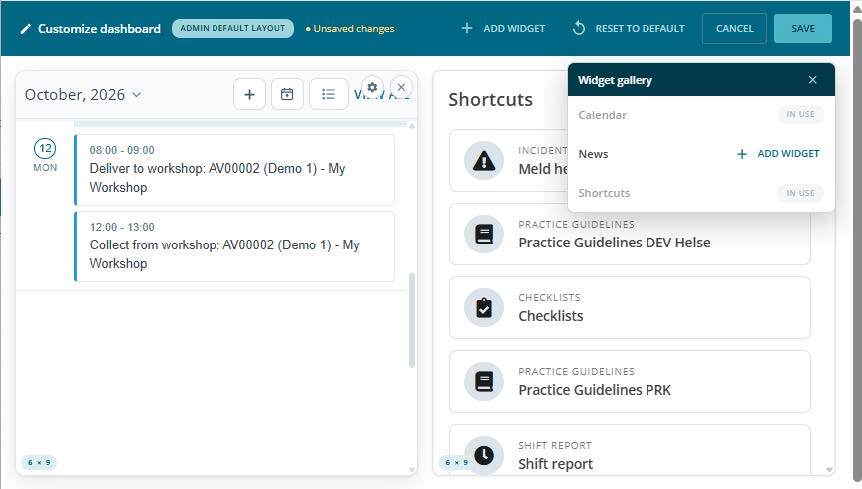
Customize your dashboard: move and resize widgets, and add new ones from the widget gallery.
Incident reporting without coverage: drafts and offline support
You can now register and update incidents even when you are offline. Offline support covers both registering and updating incidents.
How it works:
- Drafts are saved automatically. New incidents start as drafts and cannot be handled by a case officer until you submit them yourself.
- Full functionality offline. You can create new incidents and edit drafts without coverage, with all fields and with attachments (files and pictures).
- The same drafts in the app and on the web. When you edit a draft on one device, it is synchronised to your other devices.
- Safe submission. You need coverage to submit, and you must confirm the submission manually. That way, the draft does not disappear if you only have coverage for a short moment.
- Automatic synchronisation. Drafts are synchronised in the background and when you open the app. If a newer version exists on the server, you get a warning and can choose to make a copy or overwrite the server version.
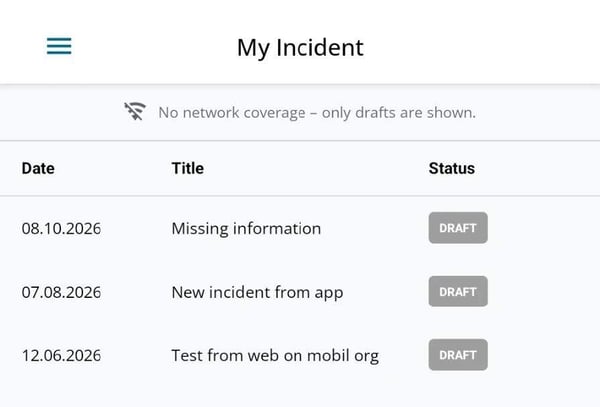
Without a network connection, the app shows your drafts.
Easier booking and workshop follow-up for vehicles
The booking page is new and self-service, with an overview and a dedicated calendar view for finding an available vehicle. You can also see and handle bookings at other workplaces.
Vehicles have a new Workshop tab where you register workshop appointments. The vehicle is automatically blocked for booking during the period, and the responsible person gets calendar reminders for drop-off and pick-up.
More field for personnel section
Personnel now has the fields address, cost centre, employment start date and employment end date. When the end date is reached, the user is deactivated automatically.
More changes
- Checklist: more flexible notifications for notes based on the checklist's tags
- Pictures: attached pictures in notes, news and incident reports open in a picture viewer instead of a new tab
- Shift report: tagged colleagues and the author are notified when new comments are added